Design and development of TBox App, a Flutter school app for students, teachers and families
TBox App
Apps / UI/UX design / Custom software
Flutter
Design and Flutter development of TBox App, the school app for students, teachers and families in El Salvador: technology classes, homework, newsletters, calendar, grades and attendance, with a single codebase for iOS and Android.
- Scope of work
- Apps / UI/UX design / Custom software
- Technology
- Flutter
- Client
- TBox
- Year
- 2024
What should a school app for students, teachers and families include?
UI/UX design and prototyping App development in Flutter iOS and Android from a single codebase Role-based navigation: student, teacher, parent Homework, newsletters, calendar and news Grades and attendance Platform switch: TBox Jr and TBox Academy Publishing on Google Play
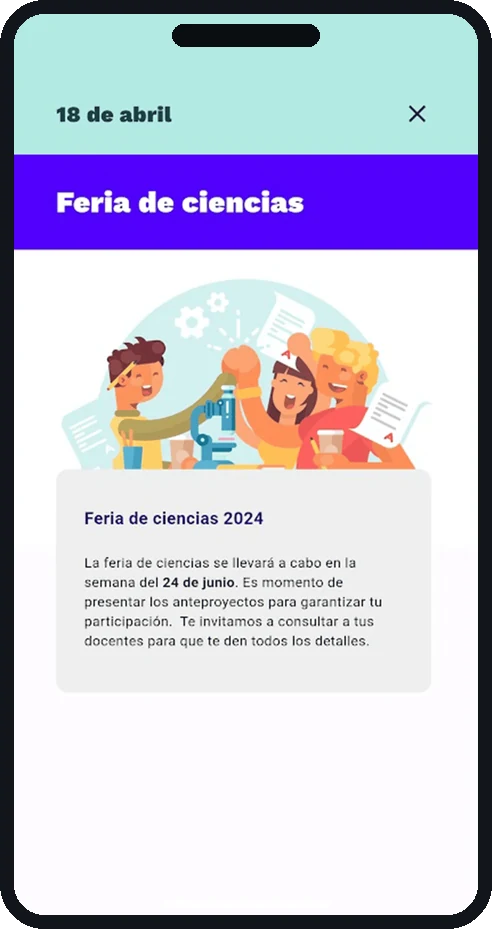
TBox App is the mobile face of the TBox educational program in El Salvador. It is built for three people at once — the student, the teacher and the parent — and carries whatever each school publishes: the technology class content, homework with its due date, newsletters, the events calendar, school news and, where the school uses TBox School, grades and attendance.
A school app always fails the same way: it arrives full of features and empty of content, because nothing inside it belongs to that particular school. So the design problem was not the feature list. It was making a single screen readable to a ten-year-old, to their teacher and to their dad on the bus.
Six doors and a single home screen
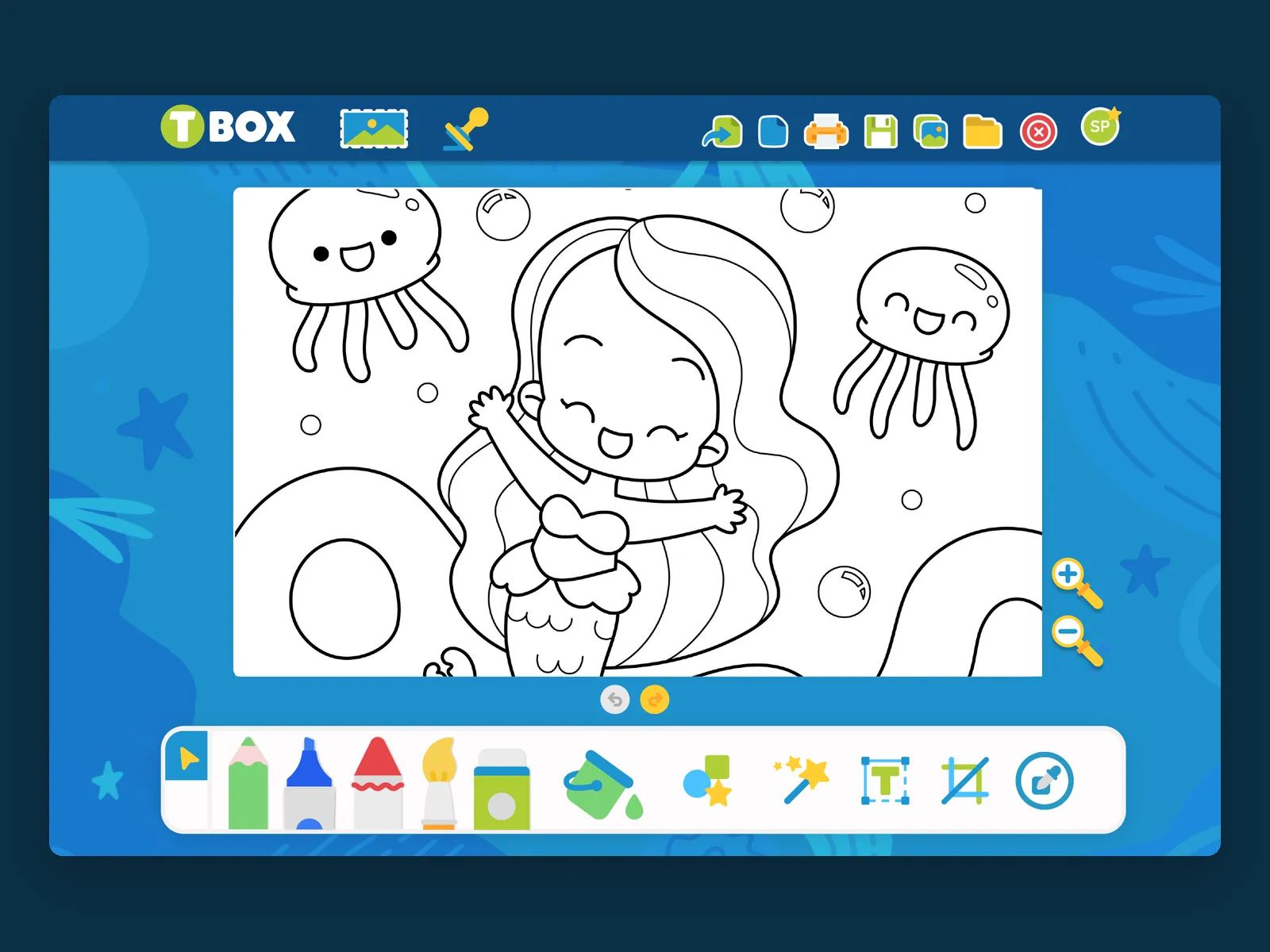
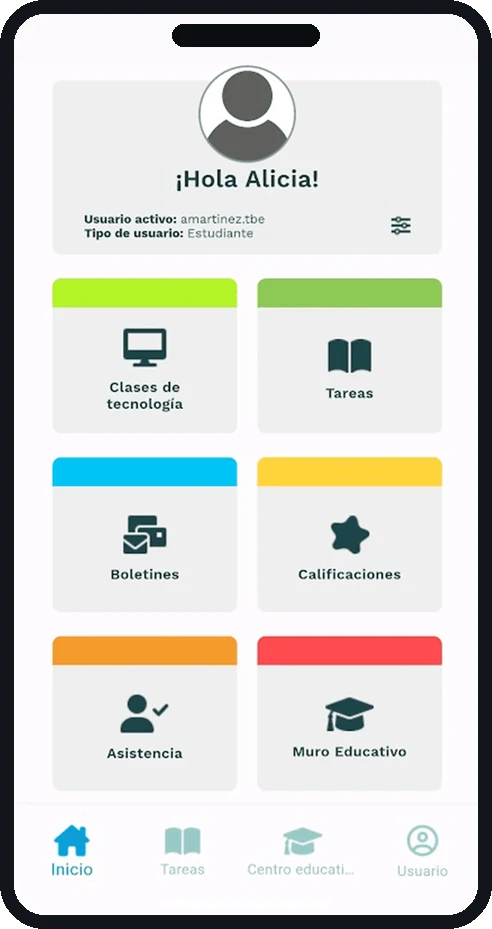
The home screen is a greeting and six colored doors: technology classes, homework, newsletters, grades, attendance and the education wall. Each door carries its color stripe and its pictogram, so the card is recognized before the label is read — the same principle that runs through the TBOX drawing workshop. Below, a four-tab bar keeps the way back fixed: home, homework, school, user.
One login, two platforms
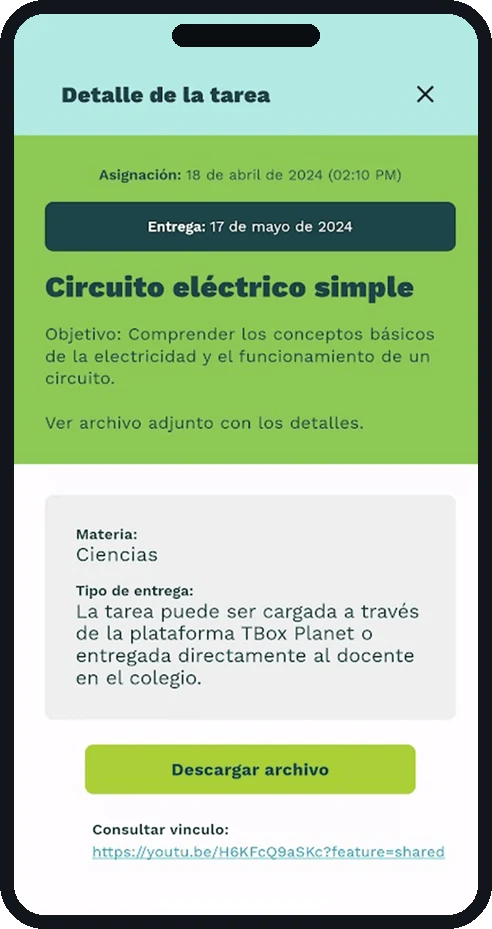
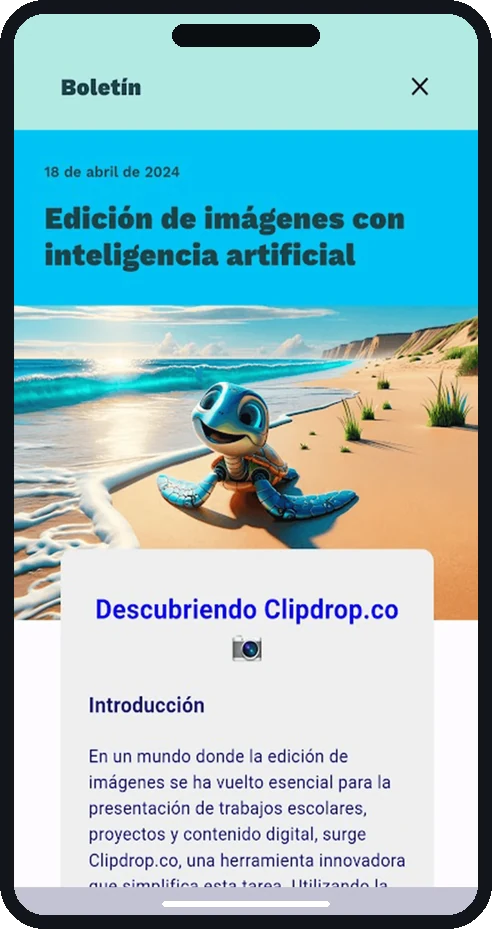
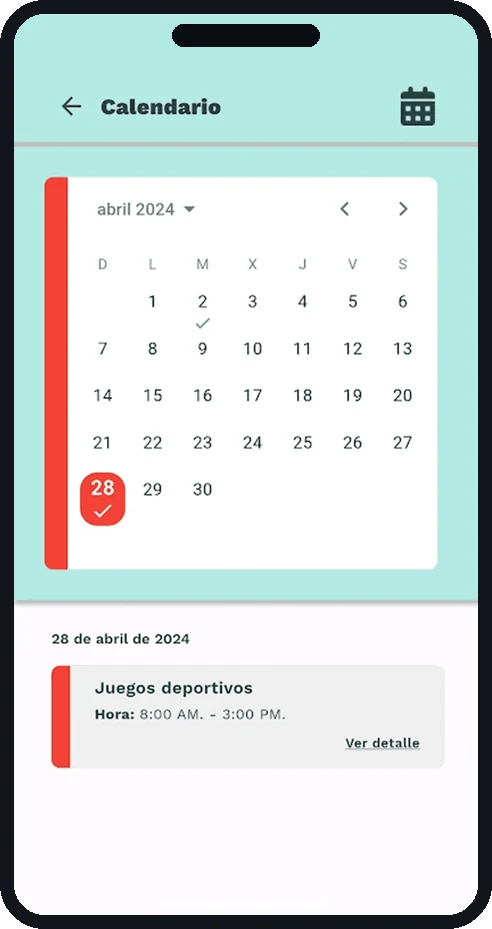
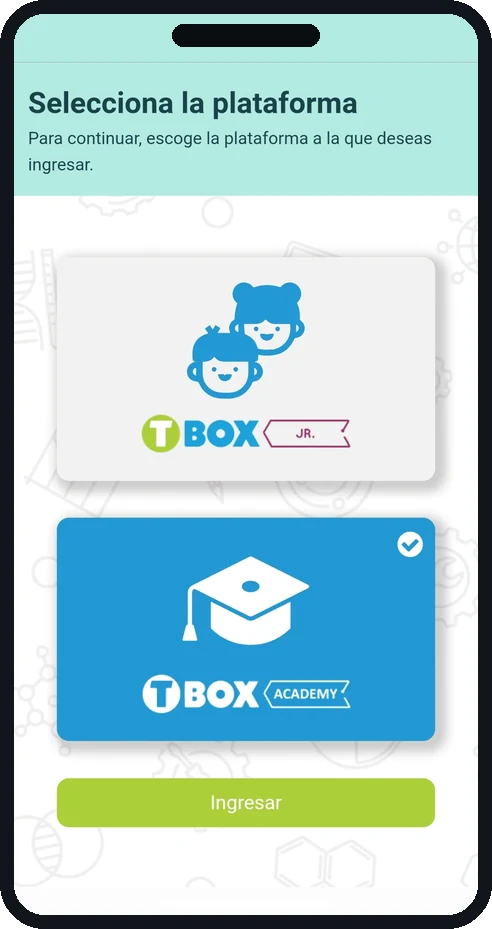
A student can belong to TBox Jr or TBox Academy, and the same account reaches both. Instead of hiding that on a settings screen, the app asks at the moment it matters: two large cards, the active one marked, and a single button to continue. From there every item opens as a full page rather than a pop-up — a homework assignment with its subject, its objective, its submission method and its attached file; a newsletter that reads like an article; a calendar day with its events below.
Built in Flutter, so iOS and Android come out of the same code and the school has the same app no matter which phone each family carries. Published on Google Play by Technology Box, Inc.
A SCHOOL APP THAT ARRIVES WITH THE SCHOOL ALREADY INSIDE
Live project